Willbyte

Robotics · R&D

3D spatial software for robot deployment and maintenance

We are developing two web-based products for manufacturers that work with robots. RoboSpace Fit reviews the space before a robot is installed. RoboMaintainer 3D AI helps technicians locate and resolve faults once it is running.

RoboSpace Fit

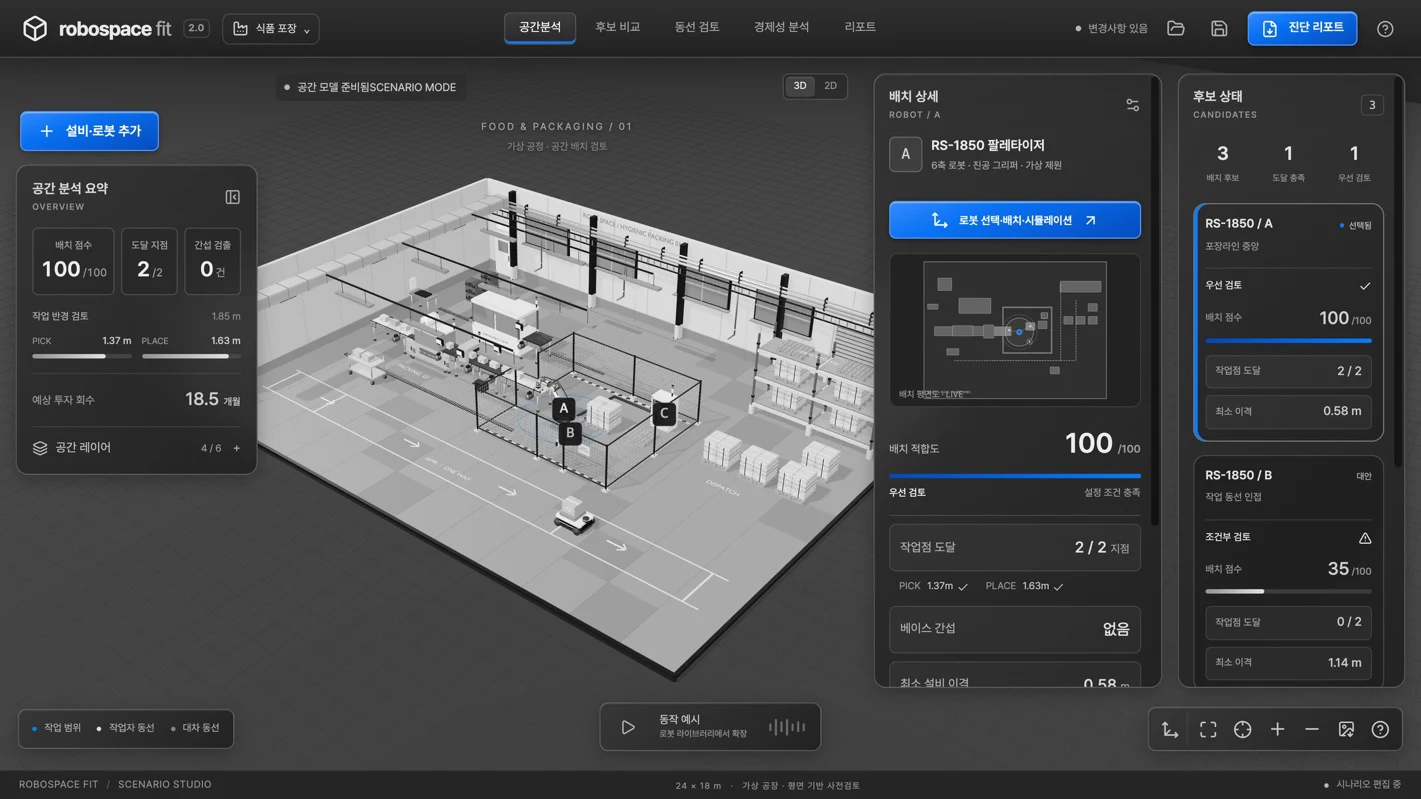
Web software for checking the space before a robot goes in. It is built for sales engineers and layout engineers at robot system integrators who are preparing a quote.

RoboSpace Fit web prototype showing a 3D model of a food packaging line with robot placement candidates A, B, and C, and reach and clearance results for each candidate
Space analysis view in the web prototype (Korean interface). This is a virtual factory scenario, and the figures shown are not measurements from a real site.

Compare candidate layouts

Place robots and surrounding equipment in a 3D scene, then move and rotate them to compare options. Each candidate is checked for reach, interference, and clearance.

  • Place equipment and edit coordinates
  • Check reach, interference, clearance
  • Compare two or three candidates

Review worker and logistics paths

Draw the routes that workers, carts, and AMRs take through the scene to find where they cross the robot's work area or where an aisle is too narrow.

  • Waypoint-based routes
  • Aisle width checks
  • Overlap with the work area

Hand over a review report

Export the comparison and the cost assumptions as a PDF review. The manufacturer and the integrator work from the same document when agreeing on quote conditions.

  • Notes for each candidate
  • Basic payback assumptions
  • PDF export

RoboMaintainer 3D AI

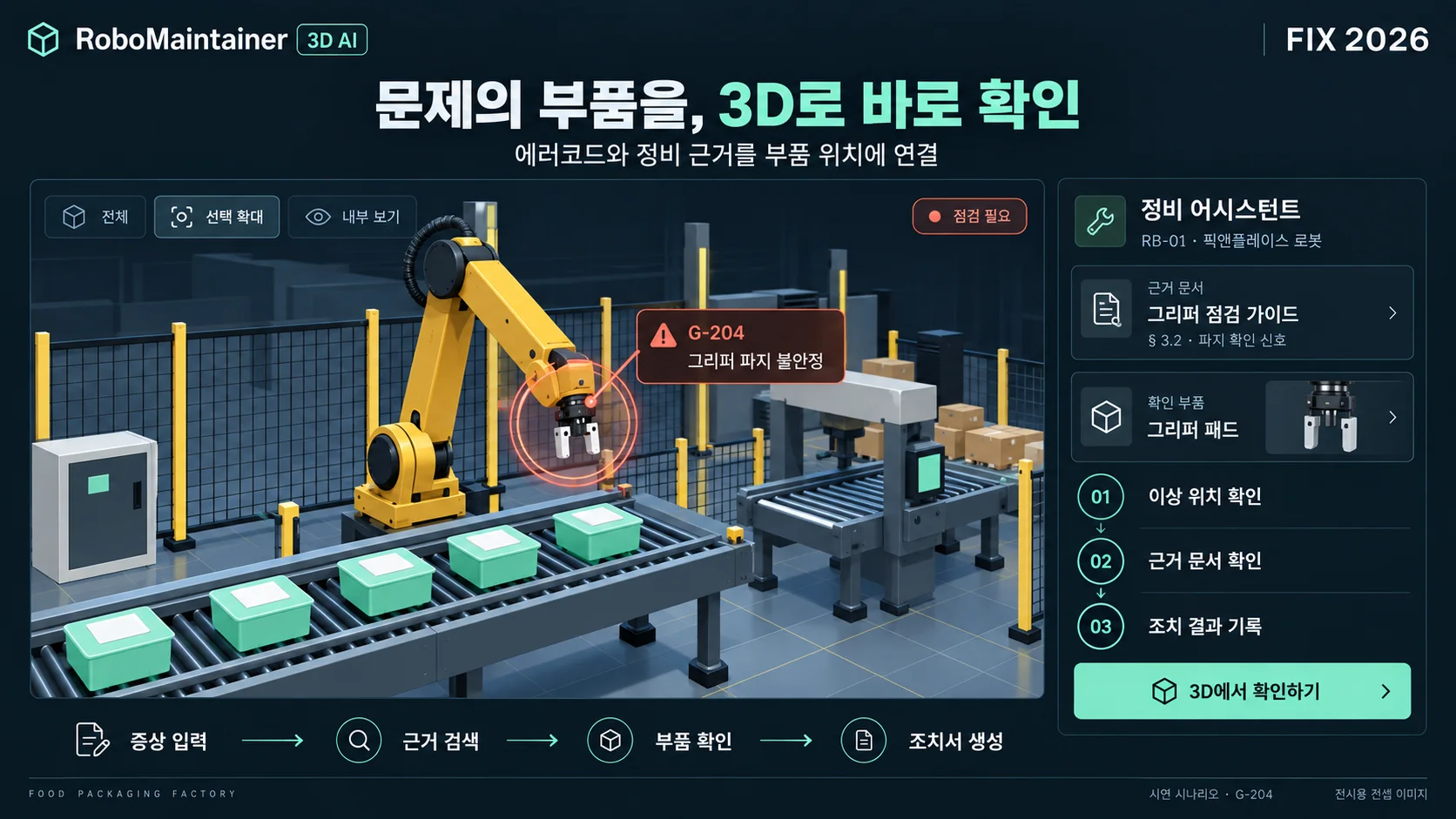
Maintenance support software that shows, in 3D, which part to inspect when equipment faults and what that advice is based on. We are developing it first for robots and connected equipment on food packaging lines.

RoboMaintainer 3D AI concept image with an error code shown on a robot gripper in a packaging line, beside maintenance references and inspection steps
Exhibition concept image with Korean labels. It is not a product screenshot or a measured result.

Find the fault in 3D

Go straight from an error code to the equipment and part it points to in a 3D model of the factory. Zoom in on the selected part or open it up to see inside.

  • Error codes mapped to part locations
  • Zoom and internal views
  • Status of connected processes

Search the manuals for evidence

Describe a symptom and get an answer drawn from maintenance manuals and error logs. Each answer shows the document and section it came from.

  • Retrieval-augmented maintenance search
  • Source document and section shown
  • Likely causes and inspection order

Keep a record of the fix

Confirm each inspection step as you go, then save the work as an action report. It becomes maintenance history you can look up the next time.

  • Step-by-step confirmation
  • Action report as PDF
  • Maintenance history

Where we are

Both products are in research and development. We are looking for manufacturers and system integrators to test them with.

Starting with food packaging

Our first target is a single cell on a food packaging line, where boxing, palletizing, and transfer work is repetitive and space is tight.

Runs in the browser

Both products open from a link with no installation. 3D scenes use GLB and glTF models with a JSON description of the equipment in them.

A pre-review, not a certification

The results support early decisions. They do not replace detailed robot simulation, safety certification, or a manufacturer's official manuals.

LET’S WORK TOGETHER

What’s next?
Let’s build it.

Partner with us on technology, AI systems, or hands-on learning.
Let’s talk